The Veeam Community Weekly Recap is available with incredible content and relevant information! Congratulations to Nico Losschaert, Brad Linch, Christian Eromosele, and Philippe Dupuis for the posts and articles.
Thanks so much to Madalina Cristil, Mark Boothman, and Safiya Mohamed for the opportunity to participate! I am honored.
Organizations generally tend to think about backing up their data and applications, which is always great!
However, they often forget to protect the configurations of the components of their IT environments. And this is very important as most corporations still have to deal with technology silos made up of the most diverse solutions, standards, and manufacturers.
The ability to quickly restore the operation of these environments in the event of failures of any type is extremely critical to ensuring business continuity!
Historically, one of the biggest challenges has always been keeping the backup of network equipment up to date. After all, companies can have hundreds or even thousands of these components in their IT environments.
Some time ago, when the concept of Software Defined Network did not yet exist, this was a manual, error-prone and problematic task.
As a testimony, I went through a very critical situation due to the lack of an updated configuration backup in a large, mission-critical environment!
During a large customer’s network migration procedures to more modern technology, an edge switch needed to be replaced. However, without realizing it, the technician responsible for the operation inserted this switch with a priority configuration that made it the PVST (Per VLAN spanning tree) root of the entire network, overriding all the spanning tree tables of its core switches.
Of course, this edge switch did not have a layer 2 connectivity table, so the entire network stopped working, paralyzing this large company’s operations.
As a pre-sales engineer, I was coincidentally at the client for a meeting on this day. Sometime after the incident, as the problem was not resolved, one of the managers asked for my help to check what was happening.
Unfortunately, technicians could not immediately discover the problem. After all, everything was correct with the core switches except the spanning-tree configuration. Due to pressure and desperation, technicians removed the controllers and other interfaces from both switch cores to solve the problem.
This only worsened the problem, as one of the controllers and other network interfaces was damaged. Now, it was necessary to look for spare parts for these modules.
Furthermore, the configuration backup of the core switches was not up to date. The only “good” copy was the one in the memory of the still-working controller. If it stopped working, the chaos would be even greater.
To summarize the incident, the customer’s environment was out of operation for approximately 6 hours. All migration procedures were reversed, and the cause was discovered after many hours of tension.
Today, with the advent of SDNs (Software-Defined Networks), backing up and restoring network configurations has become more straightforward and more automated.
However, there is always room for improvement!
I have attached an architecture suggestion for the backup and restoration of a Cisco DNA Center environment. The DNA solution allows periodic and automatic backup of all configurations to an external backup server based on Ubuntu or CentOS and with NFS enabled.
Reference information:
To summarize the incident, the customer’s environment was out of operation for approximately 6 hours. All migration procedures were reversed, and the cause was discovered after many hours of tension.
Today, with the advent of SDNs (Software-Defined Networks), backing up and restoring network configurations has become more straightforward and more automated.
However, there is always room for improvement!
I have attached an architecture suggestion for the backup and restoration of a Cisco DNA Center environment. The DNA solution allows periodic and automatic backup of all configurations to an external backup server based on Ubuntu or CentOS and with NFS enabled.
Why not improve this architecture with the Veeam Data Platform? After all, the DNA Center’s backup server is still a single point of failure.
We can install a Linux backup agent on this server, or if it is virtualized, simply recognize it as a VM and create a backup job for it in Veeam Backup & Replication.
Using VBR’s capabilities, we will have another copy of this backup in an on-site repository and an off-site copy, with immutability configured (Ransomware-proof) and zero-error recovery capacity—basically, Veeam’s 3-2-1-1-0 architecture.
I hope you enjoyed the testimonial and suggestion! And I wish everyone a great World Backup Day!
Cloud Native Computing Foundation (CNCF) published last March 19h a whitepaper named “Cloud Native Artificial Intelligence,” providing a panorama about the state-of-the-art Artificial Intelligence (AI) and Machine Learning (ML) techniques and how Cloud Native projects and technologies can offer now.
Combining Artificial Intelligence (AI) and Cloud Native (CN) technologies provides an excellent opportunity for organizations to develop unprecedented capabilities.
With the scalability, resilience, and ease of use of Cloud Native infrastructure, AI models can be trained and deployed more efficiently and at a grander scale. It is an essential resource for this subject.
It’s alarming to note that over the past few years, the speed at which ransomware attacks are executed has plummeted by a staggering 94%. Criminals now take an average of just 3.85 days to deploy a ransomware attack, a significant decrease that should raise serious concerns. Once triggered, the encryption process is lightning-fast, further underscoring the situation’s urgency.
According to a real test scenario conducted by Surge/Splunk, it takes about 5:50 minutes to encrypt 98.561 files placed in 100 directories of a Windows Server 2019 host. The LockBit is the fastest variant because it only encrypts 4KB of each file, rendering it unusable.
Even more concerning is the potential for triple extortion in these attacks. Suppose the initial ransom for recovering the encrypted and exfiltrated production and backup data is not paid. In that case, criminals can escalate the situation by launching a distributed denial of service (DDoS) attack against the organization’s services. This adds another layer of urgency to the need for robust data protection measures.
Since ransomware attacks specifically target backup environments, the importance of immutable backup repositories cannot be overstated. They have evolved from a mere security feature to a critical component of any data protection architecture, serving as a robust defense against the evolving threat landscape.
Backup immutability is a critical feature that safeguards your backup files from many threats. It prevents overwriting, accidental deletion, and even malicious insider actions, ensuring the integrity and availability of your data. This is why it’s crucial to any comprehensive data protection strategy.
For more information about ransomware attacks and how Veeam can help organizations, refer to these posts from my blog:
In this demonstration, I will guide you through the straightforward process of configuring and seamlessly integrating Object First’s solution with Veeam Backup and Replication, empowering you to enhance your data protection strategy.
First, let’s understand a little about the solution´s architecture.
Object First Basics
Ootbi, which stands for out-of-the-box immutability, is an S3-compatible object storage solution from Object First designed to ensure the immutability of your backups.
But not just that.
Object First´s Ootbi also helps you extend the principles and best practices of CISA’s Zero Trust Maturity Model to the backup and recovery architecture, enabling the implementation of a Zero Trust Data Resilience (ZTDR) architecture.
Backup infrastructure inherently has a large attack surface. With Ootbi, the backup software and backup storage communication is done by S3 protocol over HTTPS to minimize the risk of penetration into the backup storage component—no more SSH protocol.
Furthermore, no user has root rights to the backup storage, and IPMI’s local access to the appliance can be restricted.
All of this enables a minimal attack surface for backup storage.
Ootbi can be implemented as a standalone Veeam Backup and replication repository or as a Scale-out Backup Repository (SOBR) architecture component.
In this example, an Ootbi appliance is deployed in the Performance Tier on the primary data center and as a Capacity Tier in the secondary data center, with immutability enabled in both tiers.
Deploying S3 public cloud services with immutability enabled in the Capacity Tier is also possible.
Object First’s Ootbi integration with VBR through the Veeam Smart Object Storage API further enhances performance and user experience.
The Smart Object Storage API (SOSAPI) was released on VBR v12 and, as presented in this picture, brings the “Smart Entity” feature. This capability helps direct the placement of data and load balance concurrent streams across multiple network interfaces.
The following information about Smart Entities comes from Object First´s blog:
Data Communication: Veeam Backup & Replication v12 + communicates with the SOS-accelerated repository, sharing data and client details (VM name, server name, share name, etc.)
Node Allocation: The repository guides Veeam on which node to send each Smart Entity.
Network Optimization: Lastly, it provides specific network interface IP addresses, allowing direct access for data streams to spread across all NICs, boosting throughput and speed.
Another feature resulting from the integration with the SOSAPI API is the provision of “Capacity Insights.” We have this visibility in the Veeam Backup & Replication dashboard, which details the capacity, used space, and free space of the S3 object storage-based backup repository.
This figure shows how Ootbi delivers information to the VBR console when consulting the backup repository properties and configuring or editing backup jobs.
Furthermore, the performance of backup jobs is greatly accelerated with the “Cache-Control” functionality. Ootbi appliances are natively equipped with 1.6TB NVMe drives acting as a write cache, allowing a high transfer rate between the proxies/gateways and the repository. After the data is written in this cache, it is committed to the underlying storage.
The appliances are offered in two models, each with a net and usable volume: 64TB or 128TB.
Furthermore, it is possible to implement a cluster with up to four appliances and in any model combination. For example, implementing a cluster with four 128TB appliances will achieve a total usable volume of 0.5PB.
We can now discuss another SOSAPI integration: Storage Access Control functionality. In the communication process with VBR components, distinct IP addresses are relayed by each appliance and interface, enabling precise routing of each intelligent entity to its unique network interface.
When this functionality is applied to an Ootbi cluster, direct communication with each appliance can be established without needing a controller or controller node, eliminating additional network hops.
Finally, there is the question of maximum performance. Object First states that each appliance can perform up to 1GB/s, and a cluster with four appliances can provide up to 4GB/s.
I had the opportunity to follow a Proof of Concept (PoC) with an Ootbi appliance and can testify that 1GB/s performance was easily achieved.
Unpacking the Ootbi appliance
When I received the appliance, I published a post on the Veeam Community with photos of the packaging and accessories that came with the equipment.
All components required for rack installation are delivered, such as rails, screws, and other accessories. Installation is effortless and only takes a few minutes.
To prove that installing and configuring Ootbi is extremely simple, Object First sends a flyer with step-by-step installation and configuration instructions, including the Veeam Backup and Replication repository presentation. Object First reports that the solution can be racked, stacked, and energized in 15 minutes.
In other words, you don’t need a specialized professional to carry out these operations; follow the simple instructions.
Demo: Configuring and Integrating Object First with Veeam VBR 12.1
Finally, after this preliminary information, I prepared this demonstration with the procedures I follow for configuring and using Object First’s Ootbi.
I present the initial configuration of the appliance using the text user interface (local console) to the configuration of the S3-keys and the S3-bucket in the web interface and end with the configuration and use of the solution in VBR and its presentation to Veeam ONE.
Web Management Monitoring views
Let’s quickly see the monitoring views that the solution delivers. First, the Dashboard view contains important information on the available storage capacity, alerts, network throughput, S3 operations, and overall system IO. The Performance widget is a graphic representation of the workload, and the resolution can be changed from live to monthly.
The Monitoring view provides information on S3 API Throughput, network throughput, disk I/O, CPU and RAM usage, the number of S3 API requests, and latencies. This view also provides cluster-wide metrics and allows for scaling each of the metrics to an individual node.
In the graph below, we can see two backup transfers: one on Friday and related to one backup job and the other on Monday, related to five backup jobs.
As we had more jobs, the throughput of APIs, network, and disk I/O increased on Monday. If we look at the graph, CPU usage remained practically the same as on Friday, which is an excellent initial impression!
There are other aspects to be explored in the Web Management console, such as additional security settings, but this is a topic for another post or it can be consulted by you in the solution´s manual.
Likewise, I haven’t yet had the opportunity to perform broader stress testing. But I intend to make them and publish it soon!
Below are some essential references, and I hope this information and this demo are helpful to anyone interested in this solution!
Sometimes, it is necessary to go back to the basics. After all, we have many protocols and stacks that drive IT solutions.
I was rereading my notes from an SNIA training and came across this post from Erik Smith. A good overview of what’s under the hood of the various types of implementations and protocols for data storage. This post is a bit old but reflects the many storage classic protocols and integrations. 😀
In this demonstration, we will walk through the steps required to install Veeam Backup for GCP and integrate it with Veeam Backup & Replication using a plug-in.
With Google Cloud Plug-in for Veeam Backup & Replication, you can add Veeam Backup for Google Cloud appliances to the backup infrastructure and perform the following operations from the Veeam Backup & Replication console:
Start and stop backup policies, monitor session statistics, and perform configuration backup and restore.
View created snapshots and image-level backups.
Restore VM instances, individual persistent disks, and guest OS files and folders.
Restore VM instances to AWS, Microsoft Azure, and Nutanix AHV.
Perform Instant Recovery of VM instances to VMware vSphere, Hyper-V environments, and Nutanix AHV clusters.
Restore all Cloud SQL instances and specific databases.
A Veeam suporta várias opções de backup na licença universal. A proteção de File Shares (compartihamento de arquivos) pode ser realizada de várias formas.
E eles podem estar implementados como:
File Shares baseados em servidor físico ou virtual
Um dispositivo do tipo NAS/SAN/Storage que possua capacidades de File Share
O VBR pode proteger e recuperar os arquivos de servidores físicos ou virtuais que atuem como file share.
O processo de backup e restore é realizado através de integração nativa com o hypervisor ou através de um agente de backup suportado pelo sistema operacional Windows ou Linux.
Neste caso, o licenciamento é simples e baseado na quantidade de servidores e de agentes, em levar em conta a volumetria.
Será realizada uma operação do tipo “File and Folders Restore”.
Neste caso, algumas funcionalidades do NAS Backup não estarão totalmente disponíveis.
Basicamente poderemos voltar arquivos ou pastas específicas em um ponto de restauração. Esta opção pode ser útil, por exemplo, se você precisar obter uma versão mais antiga de alguns arquivos e pastas do backup.
Se você estiver apresentando seu compartilhamento de arquivos em um cluster de servidor, como Windows Server Failover Cluster, deverá licenciar cada nó do cluster. Por exemplo, um cluster de 3 nós consumirá 3 instâncias VUL.
Se você está tentando fazer backup de um Windows Server com discos de 64 TB ou mais, a Microsoft não oferece suporte a VSS. Ainda existem algumas opções disponíveis para este cenário:
Se o servidor for uma VM (embora o VMware e o Hyper-V não suportem discos maiores que 64 TB, ainda é possível combiná-los em um volume maior DENTRO do sistema operacional), você pode executar um crash-consistent backup, o que eliminaria o aproveitamento VSS.
Se o servidor estiver usando uma solução de armazenamento compatível e estiver em uma configuração compatível, podemos aproveitar o VSS de hardware com o Veeam Agent para Microsoft Windows para contornar esse problema.
Se nenhuma dessas opções se aplicar, você pode utilizar o Veaam NAS Backup
A funcionalidade de “NAS Backup” foi introduzida na versão 10 do Veeam Backup & Replication e a funcionalidade vem sendo aprimorada.
Atualmente, os tipos de File share compatíveis com o NAS Backup são:
SMB (CIFS)
NFS
Microsoft Windows server
Linux server
Um sistema de storage configurado como NAS – proteção via snapshot
Snapshot do Microsoft VSS
A funcionalidade NAS Backup permite:
Proteger soluções NAS baseadas em hardware e nos protocolos universais SMB e NFS e também servidores de arquivos, ou file shares, baseados em Windows e Linux;
Changed File Tracking (CFT), que garante backups incrementais e mais rápidos;
Versionamento de arquivos; possibilidade de arquivamento de arquivos antigos, incluindo em object storage de nuvem pública.
Retenção de curto e longo prazo em repositórios de backup distintos;
Uso do repositório de backup como uma redundância em caso de perda do file share principal, para que os usuários continuem acessando os arquivos em modo leitura;
Instant file share recovery. Permita que os usuários acessem instantaneamente todos os arquivos protegidos para SMB e NFS. Dependendo do tipo do file share:
NFS File Shares: estarão disponíveis no modo somente leitura
SMB File Shares: usuários para ler, adicionar, atualizar, remover arquivos
Restauração de todo o file share. Opção útil se o file share de origem foi totalmente desconfigurado ou se é preciso criar uma cópia do file share em outra localidade, por exemplo;
Voltar todo o file share para um ponto de restauração. Esta opção pode ser útil, por exemplo, quando o file share original foi atacado por ransomware. Nesse caso, pode-se reverter todos os arquivos que foram alterados pelo ransomware para o estado imediatamente anterior ao ataque;
Voltar arquivos ou pastas específicas em um ponto de restauração. Esta opção pode ser útil, por exemplo, se você precisar obter uma versão mais antiga de alguns arquivos e pastas do backup.
Podemos restaurar qualquer arquivo de um repositório de backup de longa retenção arquivamento para versões anteriores.
O licenciamento é baseado na volumetria do File Share. Deve-se considerar a volumetria do File Share em TB e dividir por 500GB para obter a quantidade de licenças Veeam Universal.
Considerações sobre o NAS Backup:
Se você proteger um servidor Windows ou Linux via NAS Backup, licencie o servidor com base na volumetria de File Share, em vez de licenciar todo o servidor (agente)
A Veeam arredonda em incrementos de 500 GB para consumo de licença.
Isso significa que um File Share de 999 GB consumirá 1 instância VUL, pois é contabilizado como 500 GB. Isso também significa que um File Share de 499 GB contará como 0 GB protegido, então é grátis!
Se você estiver protegendo vários File Shares individuais, cada File Share será calculado individualmente usando as regras acima. No entanto, se você fizer referência a um root de um File Share que contenham vários Files Shares internos, a capacidade total é arredondada para baixo conforme a regra anterior
Por exemplo: se você tiver 4 compartilhamentos de arquivos de 300 GB em um NAS, e se segmentado individualmente, não incorrerá em nenhum custo de licenciamento para esses compartilhamentos, pois cada um deles será arredondado para 0 GB.
No entanto, se você protegesse todo o NAS a partir do seu root, a capacidade coletiva deles seria igual a 1,2 TB (300 GB *4). Isso seria arredondado para baixo no valor de 1 TB, o que resultaria em 2 instâncias VUL. Este é um trade-off entre economia no licenciamento VS facilidade de gerenciamento.
A Veeam calcula o NAS Backup com base no maior espaço consumido nos últimos 30 dias.
Por exemplo, se eu tivesse um compartilhamento de arquivo que consumisse 490 GB de espaço, isso seria arredondado para 0 GB. Mas se aumentasse temporariamente para 500 GB e fosse feito o backup nesse tamanho, a Veeam alocaria 1 instância de licenciamento VUL.
Posteriormente, se o tamanho File Share for reduzido para 490 GB novamente, após 30 dias o licenciamento de instância VUL será liberada.
Se proteger um File Share com vários backup jobs backup, as licenças VUL necessárias não vão se basear mais apenas na volumetria do File Share, mas na volumetria multiplicada pelo número de Jobs de backup que o protegem.
Por exemplo, File Share de 200 GB pode ser protegido por 2 tarefas de backup sem incorrer no consumo de uma instância VUL adicional (1x200GB = 200GB, and 2x200GB = 400GB)
Mas se este File Share for protegido por um terceiro backup job, uma instância adicional VUL será consumida, pois a volumetria excederá 500 GB (3x200GB = 600GB)
O NAS Backup Que pode proteger File Share baseados no serviço Azure Files, tanto trabalhando o próprio File Share como de forma integrada com o Azure File Sync.
Podemos fazer backup do Amazon EFS via NAS Backup. Direcione o servidor Linux que está montando o File Share do Amazon EFS e apresente o File Share para os job de backup
Esta é uma funcionalidade do produto Veeam Backup for AWS
O backup é realizado através da criação de políticas e opcionalmente incluí indexação para possibilitar a pesquisa de arquivos e diretórios entre vários pontos de recuperação do File Share.
Os backups de File Shares do Amazon EFS só podem ser armazenados em AWS Backup Vaults. O AWS Backup Vault é um container que armazena e organiza backups.
Os backups do Amazon EFS não podem ser copiados para contas AWS diferentes da conta original.
Se a opção de file share indexing for utilizada, será preciso o uso de um worker node.
Depois que o snapshot é criado, ele é montado na instância do worker node e processado. Se um snapshot for tirado enquanto a tarefa de indexação estiver sendo realizada, este snapshot não será indexado.
O Amazon EFS não é licenciado com base na volumetria; ele é licenciado com base no número de File Shares criados – uma licença VUL por File Share.
Se o File Share não tiver sido protegido por um ponto de restauração nos últimos 31 dias, a licença VUL consumida será liberada.
O backup dos File Shares do Amazon EFS pode ser feito para um AWS Backup Vault em qualquer região compatível da AWS. Eles também podem ser restaurados para qualquer região da AWS compatível, o que é útil para migrações.
Esta é uma funcionalidade do produto Veeam Backup for Microsoft Azure.
O backup é realizado através da criação de políticas e opcionalmente incluí indexação para possibilitar a pesquisa de arquivos e diretórios entre vários pontos de recuperação do File Share.
Atualmente, o Azure Files criam apenas snapshots de File Share, ao invés de backups independentes. Isso significa que a exclusão de seu File Share do Azure resultará na exclusão de seus snapshots também.
Apenas 200 snapshots podem existir para um File Share.
No momento, não podemos suportar imutabilidade para um backup job do Azure Files
Se a opção de file share indexing for utilizada, será preciso o uso de um worker node.
Depois que o snapshot é criado, ele é montado na instância do worker node e processado. Se um snapshot for tirado enquanto a tarefa de indexação estiver sendo realizada, este snapshot não será indexado.
O Azure Files não é licenciado com base na volumetria; ele é licenciado com base no número de File Shares criados – uma licença VUL por File Share.
Se o File Share não tiver sido protegido por um ponto de restauração nos últimos 31 dias, a licença VUL consumida será liberada.
Se um File Share do Azure Files for associado a várias políticas de backup, somente a política de backup de prioridade mais alta processará o File Share.
Conclusão: a Veeam disponibiliza várias possibilidades de proteção e recuperação de File Shares, de acordo com a necessidade de cada infraestrutura ou nuvem!
The Veeam Plug-in for Microsoft SQL natively integrates with Microsoft SQL Server Management Studio. It transfers database and transaction logs to backup repositories associated with Veeam Backup & Replication.
Compared to image-level backups created by Veeam Backup & Replication, Veeam plug-ins can offer more flexible scenarios for database backup.
This plug-in’s users can backup and restore individual Microsoft SQL Server databases and configure independent backup scheduling for full, differential, and log backups using the native SQL Agent Job functionality.
Some highlights about the Veeam Plug-in for Microsoft SQL:
SQL administrators have complete control over backup and recovery processes;
User interface (UI) integrated directly into Microsoft SQL Server Management Studio;
Scalability and performance: up to 2,000 databases per SQL server and up to 10,000 databases per backup server;
Possibility to perform database backups without waiting for the image-based backup (backup of the entire appliance/VM);
Support for SQL Always-ON;
Support making a copy of SQL backups to secondary repositories.
How does it work?
1. When the backup process starts for the first time, the plug-in connects to the Veeam Backup & Replication server and creates the backup job.
2. At the beginning of the backup process (either by schedule or manually), the Veeam Plug-in “MSSQLRecoveryManager” service instructs Microsoft SQL Server to back up a database.
3. The “MSSQLRecoveryManager” service starts the source Veeam Data Mover on the SQL server, and the VBR Veeam Backup Manager starts the target Veeam Data Mover in the Veeam backup repository.
4. Microsoft SQL Server starts the database backup process directed to a VDI device, a virtual device that acts as a backup repository. A dedicated VDI device is created for each database. The number of VDI devices also depends on the number of parallel data streams you specify when configuring the backup settings.
5. The source Veeam Data Mover reads the backup data from the VDI devices and transfers it to the destination Veeam Data Mover.
6. The target Veeam Data Mover writes the backup data to the backup repository.
How are VDI devices created?
The client application always creates them. In this case, the Veeam plug-in.
A VDI device acts as an intermediary between SQL Server and the Veeam platform; SQL writes the backups to the VDI device, and at the time of restoration, the data is read from it.
Furthermore, it is responsible for intermediating the exchange of commands, using a buffer, between SQL Server and the client application.
To access the technical specification for Microsoft SQL Server Virtual Backup Device, click on the link below:
The architecture is the same as that used by other Veeam plug-ins.
One point of attention is that, at this time, it is not possible to perform a backup job directly to an Object Storage. To get around this, it is possible to implement a Scale-out Backup Repository structure as follows:
Performance Tier:
Microsoft Windows Server
Linux Server
SMB (CIFS) Share
NFS File Share
Dell Data Domain with Data Domain Boost (DDBoost)
HPE StoreOnce
Exagrid
Hardened Repository
Capacity Tier:
Object Storage
Installation and use
The following videos demonstrate installation and use in a laboratory environment and can be reproduced anywhere.
The following procedure performs a first full database backup and creates a SQL Server Agent. Through this, we define the schedule for the automatic backup job.
It will also be from there that, when necessary, we will manually start full backup jobs.
Step 4: Checking files and jobs in VBR
The next step is to repeat the differential and transaction log backup procedure. We can see that we have a dedicated folder for the plugin’s jobs. Additionally, we have server backup at the image level.
Thus, we can restore only the desired information from the database, through the plug-in backups, or restore the entire server from the image backup.
Step 5: Differential and Transaction Logs Backup
The next step is to repeat the procedure for differential and transaction log backups.
Step 6: Creating transactions in the database
The queries below are used to create transactions in the AdventureWorks 2022 database.
Query to insert a name into the “Person” table:
SET IMPLICIT_TRANSACTIONS ON

use AdventureWorks2022

INSERT INTO [Person].[Person]

([BusinessEntityID], [FirstName], [MiddleName], [LastName], [PersonType])

VALUES

(20780, 'Luiz', 'E', 'Serrano', 'SC')

GO

Insert into person.BusinessEntity(rowguid)

Values (newid())

SAVE TRANSACTION InsertStatement

select * from person.BusinessEntity

select * from person.Person

COMMIT TRANSACTION
* Each time a name is entered, increment the Business ID by 1 – starting at 20780 – to avoid errors
Query to read Business IDs and names:
use AdventureWorks2022

select BusinessEntityID, FirstName, LastName from [Person].[Person]

WHERE FirstName = 'Luiz' AND LastName ='Serrano'
Below is the video with the steps for this procedure:
In the video below we recover an immediately previous transaction (based on transaction logs), using the plug-in’s point-in-time recovery functionality.
O novo Veeam Data Protection Trends Insights 2024 traz informações valiosas sobre os desafios das organizações relacionados a este tema. Este relatório é baseado em respostas de 1.200 líderes de TI, e um dos insights mais relevantes é sobre as pressões contra Ransomware: “Suponha que sua organização teve que recuperar mais de 50 servidores devido a um desastre ou evento cibernético. Quanto tempo você estima que levaria desde o início da recuperação do primeiro servidor até o último servidor estar online?” Apenas 32% dos entrevistados acham que poderiam recuperar esta quantidade relativamente pequena de servidores em uma semana! Imagine como os processos e negócios dessas organizações seriam afetados, sem conseguirem acessar seus dados e aplicações por uma semana ou mais. A missão da Veeam é entregar alta resiliência para os dados e garantir a continuidade dos negócios! Como líder de mercado na América Latina e líder por 7 vezes consecutivas no Gartner Magic Quadrant, a Veeam permite a proteção, recuperação e a movimentação dos seus dados e aplicações sem lock-in e quando necessário; tudo isso com liberdade de escolha da infraestrutura, nuvem e serviços que as organizações desejem ou necessitem.
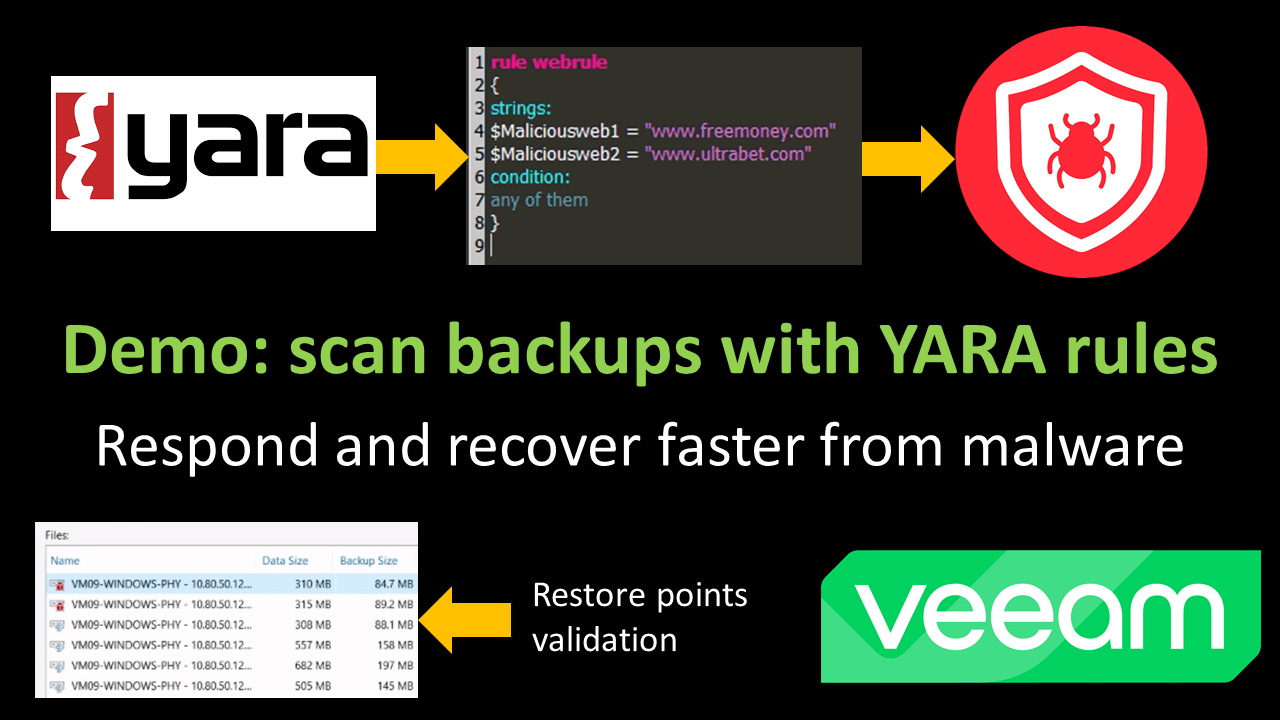
Hi! In the recent Veeam Backup & Replication v12.1, Veeam brings many new features and capabilities related to data security and integrations with cybersec tools. One of them is the capability to scan backup files with Yara rules.
This is a great feature due to the native flexibility of Yara rules and its wide use in the community.
In this demonstration, we will see how to create a simple Yara rule, associate a malicious file with a VM, and obtain uncompromised recovery points through a scan operation. Everything is effortless and intuitive. I hope it is helpful for the community!